
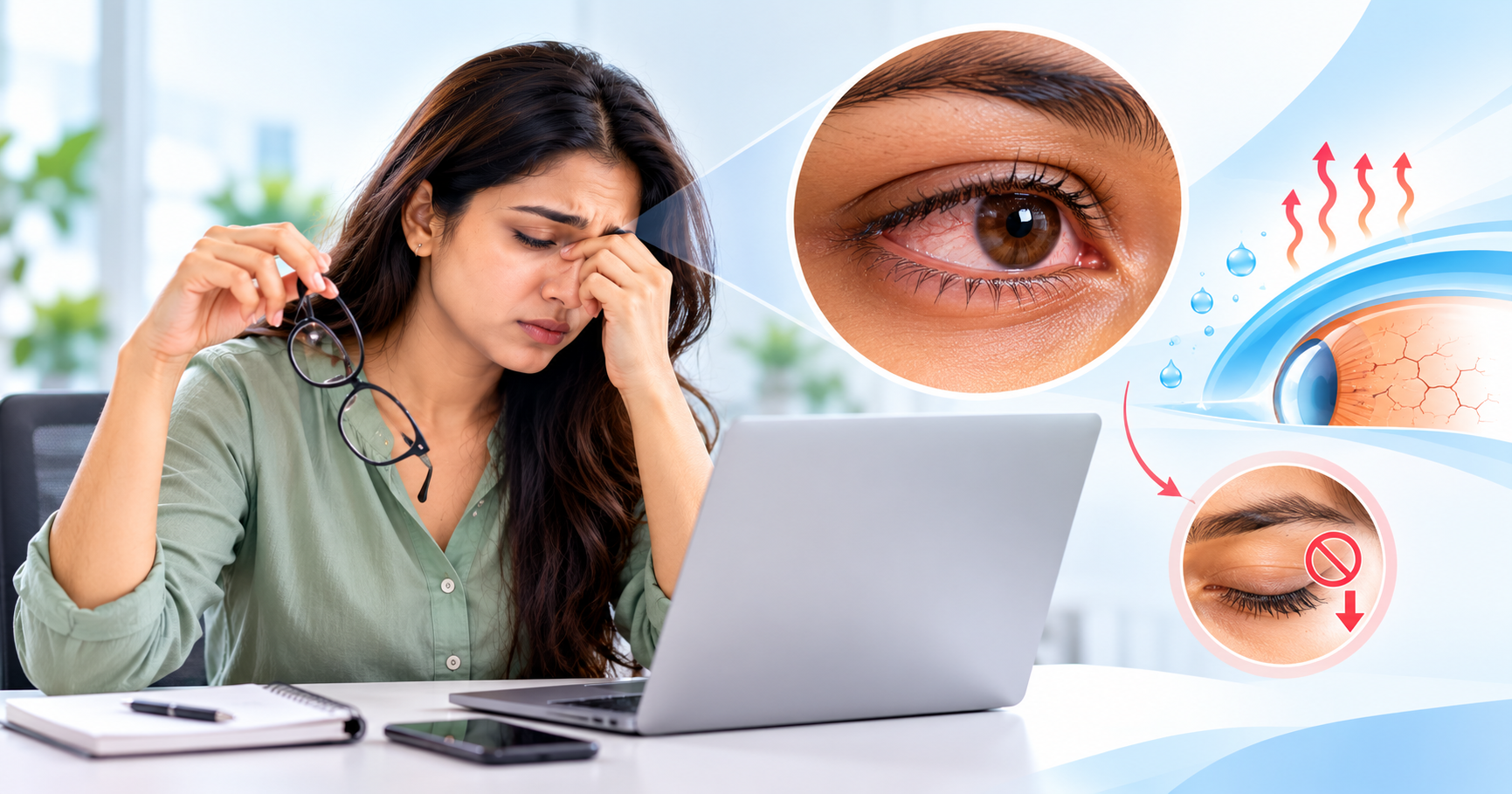
Spending hours on your phone or laptop? Your blinking habits may be the reason behind dry, tired and irritated eyes.
From checking smartphones in the morning to working on laptops throughout the day, digital screens have become an essential part of modern life. Whether it is office work, online classes, entertainment or social media, our eyes remain focused on screens for several hours.
But have you ever noticed that your eyes feel dry, tired or uncomfortable after spending too much time looking at a screen?
The reason may be something you rarely think about — blinking.
Blinking is a natural process that helps keep our eyes moist, comfortable and protected. However, while concentrating on digital screens, we often blink less frequently or fail to blink completely.
Over time, this can disturb the natural tear film covering the eyes and contribute to symptoms of Dry Eye Disease.
Understanding how screen time affects blinking can help you develop healthier digital habits and protect your eye comfort.
What Happens to Your Eyes During Prolonged Screen Time?
Our eyes are designed to blink regularly throughout the day.
Every time we blink, a thin layer of tears spreads across the surface of the eye. This tear film helps maintain moisture, provides a smooth surface for clear vision and protects the cornea.
However, when we become deeply focused on a computer, mobile phone or tablet, our blinking pattern changes.
Research suggests that people may blink substantially less while concentrating on digital devices. Some individuals also experience incomplete blinking, where the eyelids do not close fully.
As a result, the tear film may become unstable, allowing moisture to evaporate more quickly.
This can lead to dryness, irritation and fluctuating vision, especially during long periods of uninterrupted screen use.
Why Is Blinking So Important for Healthy Eyes?
Blinking may seem like a small and automatic action, but it performs several important functions.
1. Keeps the Eye Surface Moist
Each complete blink helps spread fresh tears evenly across the cornea, preventing the surface from drying out.
2. Supports Clear and Comfortable Vision
A healthy tear film creates a smooth optical surface. When the tear film becomes unstable, vision may appear temporarily blurred or fluctuate between blinks.
3. Reduces Tear Evaporation
Blinking helps maintain the protective tear layer and supports the normal function of the oil-producing glands along the eyelids.
4. Helps Remove Small Particles
The natural movement of the eyelids assists in clearing minor debris and distributing tears across the eye surface.
When blinking becomes less frequent or incomplete, these protective functions may become less effective.
How Does Reduced Blinking Lead to Dry Eye Symptoms?
Dry Eye Disease develops when the eyes do not produce enough tears or when the tears evaporate too quickly.
The tear film consists of multiple components that work together to keep the eyes comfortable.
A particularly important part is the outer oily layer, which helps reduce tear evaporation. This layer is supported by the meibomian glands located along the eyelids.
During prolonged screen use, reduced or incomplete blinking may affect the distribution of this protective oil layer.
Consequently, tears may break up more rapidly, leaving parts of the eye surface insufficiently lubricated.
This can contribute to a cycle of dryness, irritation and visual discomfort.
It is important to understand that screen time is not the only cause of dry eyes. Age, environmental conditions, contact lens use, certain medications and underlying health conditions can also contribute.
Common Signs of Screen-Related Dry Eyes
Dry eye symptoms do not always begin with obvious dryness.
Some people experience mild discomfort, while others notice symptoms that interfere with work and daily activities.
Common signs include:
Burning or stinging sensation in the eyes
A gritty feeling, as if something is stuck in the eye
Redness and irritation
Temporary blurry or fluctuating vision
Tired or heavy-feeling eyes
Sensitivity to bright light
Discomfort after prolonged reading or screen use
Excessive watering of the eyes
Interestingly, watery eyes can sometimes be associated with dry eye. When the eye surface becomes irritated, it may produce reflex tears that do not necessarily provide lasting lubrication.
If these symptoms occur frequently, an eye examination can help identify the underlying cause.
Is Digital Eye Strain the Same as Dry Eye Disease?
Digital Eye Strain, also known as Computer Vision Syndrome, refers to a group of eye and vision-related symptoms associated with prolonged use of digital devices.
These may include headaches, blurred vision, focusing difficulties, eye fatigue and dryness.
Dry Eye Disease, on the other hand, is specifically associated with inadequate tear production, excessive tear evaporation or tear film instability.
The two conditions can overlap.
For example, reduced blinking during computer work may contribute to dry eye symptoms, while prolonged focusing and uncorrected vision problems may contribute to digital eye strain.
An ophthalmologist can help determine whether symptoms are caused by dry eyes, refractive errors, focusing difficulties or a combination of factors.
Why Do Some People Experience More Dry Eye Symptoms Than Others?
Not everyone experiences the same level of discomfort while using digital screens.
Several factors can increase susceptibility.
Long Working Hours
People who spend extended periods using computers without regular breaks may experience more frequent eye discomfort.
Air-Conditioned Environments
Air conditioning, fans and low-humidity environments can increase tear evaporation, making dry eye symptoms more noticeable.
Contact Lens Use
Contact lenses may contribute to dryness, particularly during prolonged screen exposure.
Existing Eye Conditions
People with meibomian gland dysfunction, eyelid inflammation or an existing dry eye condition may experience more pronounced symptoms.
Incorrect Screen Position
A monitor positioned too high can increase the exposed surface area of the eyes, potentially encouraging faster tear evaporation.
Recognizing these contributing factors can help in managing symptoms more effectively.
7 Practical Ways to Prevent Dry Eyes During Screen Time
Small changes to your daily screen habits can make a meaningful difference in eye comfort.
1. Follow the 20-20-20 Rule
Every 20 minutes, look at an object approximately 20 feet away for at least 20 seconds.
This simple habit gives your focusing system a short break and may help reduce digital eye strain.
2. Make a Conscious Effort to Blink
While working, occasionally remind yourself to blink gently and completely.
Complete blinking helps distribute the tear film more effectively across the eye surface.
3. Position Your Screen Correctly
Keep your computer monitor approximately an arm's length away and slightly below eye level.
A comfortable downward gaze may reduce the exposed eye surface and help minimize dryness.
4. Reduce Screen Glare
Adjust screen brightness according to surrounding lighting conditions.
Avoid excessive glare from windows or overhead lights, and consider an anti-glare screen if necessary.
5. Avoid Direct Airflow Toward Your Eyes
Do not sit directly in front of strong fans or air-conditioning vents.
If the indoor environment is particularly dry, a humidifier may help improve comfort.
6. Consider Lubricating Eye Drops
Artificial tears may help relieve mild dry eye symptoms.
However, the most suitable formulation depends on the individual's eye condition. Avoid routinely using redness-relief or medicated eye drops without professional advice.
7. Schedule Regular Eye Examinations
If dryness, irritation or blurred vision persists despite lifestyle changes, consult an eye specialist.
Early evaluation can help identify underlying problems and guide appropriate treatment.
Do Blue Light Glasses Prevent Dry Eyes?
Blue light-blocking glasses are frequently promoted as a solution for screen-related eye discomfort.
However, available scientific evidence does not establish that blue light-blocking glasses prevent dry eyes or consistently improve digital eye strain.
Reduced blinking, prolonged near work, screen glare and environmental conditions are more directly associated with common screen-related symptoms.
Rather than relying entirely on special glasses, developing healthy screen habits and addressing the actual cause of discomfort is more useful.
People who need prescription glasses may still benefit from properly prescribed lenses for their working distance.
When Should You Consult an Eye Specialist?
Occasional eye tiredness after using screens may improve with short breaks and better blinking habits.
However, professional evaluation is recommended when:
Eye dryness or irritation occurs regularly
Burning or redness continues despite taking breaks
Vision frequently becomes blurry
Contact lenses become uncomfortable
Eye discomfort affects work, reading or sleep
Lubricating drops provide only temporary relief
Sudden vision loss, severe eye pain, marked light sensitivity or significant redness accompanied by pain requires prompt medical attention.
An ophthalmologist may assess tear production, tear film stability, eyelid health and the ocular surface to determine the appropriate management plan.
How Is Dry Eye Disease Diagnosed and Treated?
A detailed eye examination helps identify the type and severity of dry eye.
Depending on the symptoms, an ophthalmologist may recommend tests such as:
Tear Break-Up Time (TBUT)
Schirmer's Test
Ocular surface staining
Meibomian gland and eyelid evaluation
Treatment varies according to the underlying cause.
Mild cases may improve with regular breaks, environmental adjustments and artificial tears.
Other patients may require targeted treatment for eyelid inflammation, meibomian gland dysfunction or associated ocular surface problems.
Persistent or more severe dry eye may require prescription medicines or other specialist-directed therapies.
The key is to treat the cause rather than repeatedly managing symptoms without proper evaluation.
Frequently Asked Questions (FAQs)
1. Can too much screen time cause dry eyes?
Yes. Prolonged screen use can reduce blinking frequency or cause incomplete blinking, increasing tear evaporation and contributing to dry eye symptoms.
2. How often should we blink while using a computer?
There is no single blinking number everyone must achieve. The important habit is to blink naturally and completely while taking regular screen breaks.
3. Can dry eyes cause blurry vision?
Yes. An unstable tear film may lead to temporary blurred or fluctuating vision, which sometimes improves after blinking.
4. Are mobile phones worse than laptops for dry eyes?
Both can contribute to eye discomfort when used for extended periods. Symptoms depend on factors such as viewing distance, blinking patterns, screen duration and surrounding conditions.
5. Can the 20-20-20 rule cure Dry Eye Disease?
No. The 20-20-20 rule can help reduce digital eye strain, but it is not a cure for Dry Eye Disease. Persistent symptoms may require specific medical treatment.
6. Do I need an eye check-up if my eyes water during screen use?
Frequent watering, particularly when accompanied by irritation or blurred vision, may indicate tear film problems or another eye condition. An examination can help determine the cause.
Conclusion: Blink More, Take Breaks and Protect Your Eye Comfort
In today's digital world, avoiding screens completely may not be practical. However, protecting your eyes does not always require major lifestyle changes.
Sometimes, the simplest habits can make a difference.
Blinking completely, taking regular breaks, adjusting screen position and maintaining a comfortable working environment can help reduce screen-related eye discomfort.
Remember, persistent dryness is not something you should automatically ignore as a normal part of computer work.
If your eyes frequently feel dry, irritated or tired, an eye examination can help identify the cause and provide suitable treatment.
Your eyes work hard every day. Give them the care, moisture and breaks they deserve.
Expert Eye Care in Varanasi
Umaprem Netralay
Dr. Arun Kumar Gupta
MBBS, MS (Gold Medalist)
Ophthalmologist & Eye Surgeon
Branches:
Chhittaipur, varanasi
Ring Road – Natiniyadai Mandir, Varanasi
For persistent dry eyes, digital eye strain or other vision-related concerns, consult an eye care specialist for a comprehensive evaluation.
Medical Disclaimer: This article is intended for general health awareness and educational purposes only. It is not a substitute for professional medical advice, diagnosis or treatment.